Evidence is what you hand to a customer, an auditor, a regulator, or a downstream consumer. Anchore Enterprise turns the vulnerability and annotation data it already holds into three kinds of formal, standards-aligned documents:
| Document | Format | What’s in it |
|---|---|---|
| VEX (Vulnerability Exploitability eXchange) | CycloneDX JSON (app-version) CycloneDX JSON, CycloneDX XML, OpenVEX (image) | The vulnerabilities found and the VEX annotations recorded against them: your published statement on what affects the product. |
| VDR (Vulnerability Disclosure Report) | CycloneDX JSON | A combined SBOM-plus-vulnerabilities document: the components, their known vulnerabilities, and the VEX annotations alongside. The single artifact to attach to a release for downstream consumers. |
| Vulnerability data export | CSV (app-version) CSV, CycloneDX JSON, CycloneDX XML, HTML, JSON (image) | The raw finding rows: vulnerability ID, severity, CVSS, EPSS, KEV, fix availability, affected package with its purl, and source. For ingestion into tickets, spreadsheets, and downstream tooling. |
Evidence is available at both app-version and image scope.
For SBOM evidence (CycloneDX and SPDX SBOM exports of an app version’s contents), see Export an SBOM.
Evidence from an App Version
App-version evidence runs as an asynchronous job: submit the job, wait for completion, and the result is written to a file or stdout.
Via the Anchore Enterprise GUI
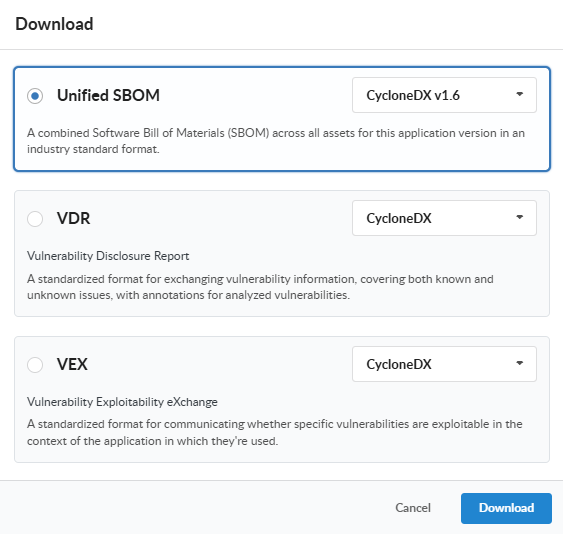
Open the app version detail page, click on the Download button, and choose the document type from the menu along with the desired format (where supported), and click Download. The My Recent Activity panel on the App Version Summary tab shows the job’s progress and, once complete, the link to download the generated document.

Via AnchoreCTL
Each evidence type has a dedicated subcommand under anchorectl app version export:
anchorectl app version export vex 1.4.0 \
  --app my-service \
  --format cyclonedx-json \
  --file my-service-1.4.0-vex.json

anchorectl app version export vdr 1.4.0 \
  --app my-service \
  --file my-service-1.4.0-vdr.json

anchorectl app version export vulnerabilities 1.4.0 \
  --app my-service \
  --file my-service-1.4.0-vulns.csv
Each command submits a job, waits for completion, and writes the resulting document to the path supplied with --file (or to stdout if --file is omitted).
Today the app-version VEX and VDR exports both produce CycloneDX JSON. The vulnerability data export, the raw finding rows surfaced by anchorectl app version export vulnerabilities, is CSV-only at app-version scope; VEX and VDR carry the same findings wrapped in their respective document forms.
App-version CSV exports (vulnerabilities, policy compliance, and packages alike) emit one row per result per asset, and every row identifies where it was found through Asset ID, Asset Name, Asset Class (SBOM or Image), and Asset Type columns. A finding that touches three assets therefore appears as three rows.
Via the API
App-version exports live under the App Jobs tag of the API:
| Method | Path | Produces |
|---|---|---|
POST | /apps/{app_id}/jobs/export-vex | Submit a VEX export job |
POST | /apps/{app_id}/jobs/export-vdr | Submit a VDR export job |
POST | /apps/{app_id}/jobs/export-vulnerabilities | Submit a vulnerability data export job |
GET | /apps/{app_id}/jobs/export-{vex,vdr,vulnerabilities} | List previously submitted jobs of this type |
GET | /apps/{app_id}/jobs/export-{vex,vdr,vulnerabilities}/{job_id} | Retrieve a single job by ID |
GET | /apps/{app_id}/downloads/{download_id} | Download the completed document referenced by a finished job |
The job lifecycle is: POST to submit, poll GET .../{job_id} until status is completed, then fetch download_id from the job’s response and GET /apps/{app_id}/downloads/{download_id}. The full request and response schemas are in the API browser; search for the App Jobs tag.
Evidence from an Image
Image-scoped evidence is synchronous: the document is generated on the fly when you request it. No job to track, no separate download step.
Via the Anchore Enterprise GUI
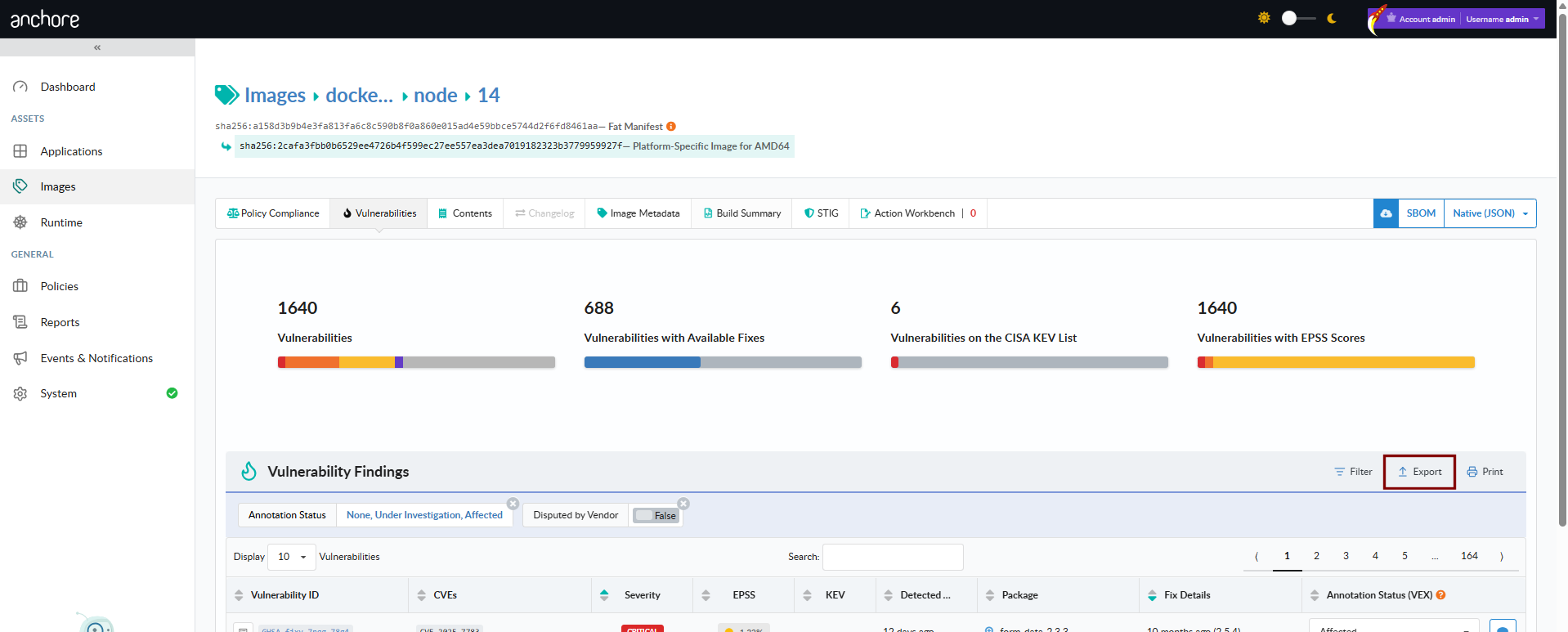
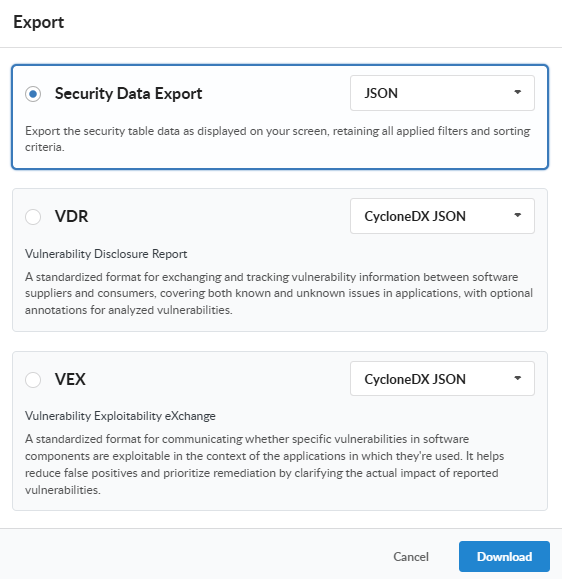
Open the image detail page, switch to the Vulnerabilities tab, and use the Download menu to pick a format. The document streams back to your browser when the request completes.
Via AnchoreCTL
anchorectl image vulnerabilities doubles as the image evidence command; the -o flag selects the output format:
anchorectl image vulnerabilities sha256:<digest> -o csv             > image-vulns.csv
anchorectl image vulnerabilities sha256:<digest> -o cyclonedx-json  > image-vulns.cdx.json
anchorectl image vulnerabilities sha256:<digest> -o html -d ~/reports/  # -d takes a directory; the HTML file is written into ~/reports/
Supported formats are text, json, json-raw, csv, cyclonedx-json, cyclonedx-xml, and html. The JSON and CSV outputs include each vulnerable package’s purl, matching the GUI’s Security Data Export from the image and source analysis vulnerabilities views. The CycloneDX outputs embed VEX annotations recorded on the image’s findings; HTML produces a human-readable summary document suitable as a build artifact.
Via the API
| Method | Path | Produces |
|---|---|---|
GET | /images/{image_digest}/vex/openvex | OpenVEX document for the image |
GET | /images/{image_digest}/vex/cyclonedx-json | VEX in CycloneDX JSON |
GET | /images/{image_digest}/vex/cyclonedx-xml | VEX in CycloneDX XML |
GET | /images/{image_digest}/vuln/{vuln_type} | Vulnerability data for the image as paginated JSON. vuln_type is one of os, non-os, or all |
GET | /images/{image_digest}/vuln/{vuln_type}/cyclonedx-json | Vulnerability data in CycloneDX JSON |
GET | /images/{image_digest}/vuln/{vuln_type}/cyclonedx-xml | Vulnerability data in CycloneDX XML |
Image VEX exports support OpenVEX in addition to CycloneDX, which is useful for downstream consumers that have standardized on the OpenVEX format.
Where to Go Next
- Search — investigate vulnerabilities before producing the formal documents.
- Annotations — record the VEX dispositions that drive every VEX and VDR document.
- Export an SBOM — produce Syft-native, CycloneDX, or SPDX SBOMs for the components that the vulnerability evidence above sits alongside.