Evaluate Policy Against an Image
Image-scoped policy evaluation runs a policy against a single analyzed container image and returns a Pass or Fail verdict for that one image, plus the per-trigger findings that produced it. This is the long-standing evaluation surface and remains fully supported in v6 — use it for image-stage CI/CD gates, post-build pre-publish checks, and ad-hoc verification of an image already in the catalog.
The evaluation is computed against the image’s existing analysis and the policy that the artifact’s mapping selects. The active account policy is used by default; pass a specific policy ID to evaluate against a different bundle.
Evaluate an Image in the Anchore Enterprise GUI
Open an analyzed image’s detail page from the Images view. The Compliance tab shows the most recent evaluation result — the final Pass / Fail verdict at the top, with findings grouped by gate and trigger below. Each finding carries its action badge (STOP, WARN, GO), the rule that produced it, and any allowlist item that matched.
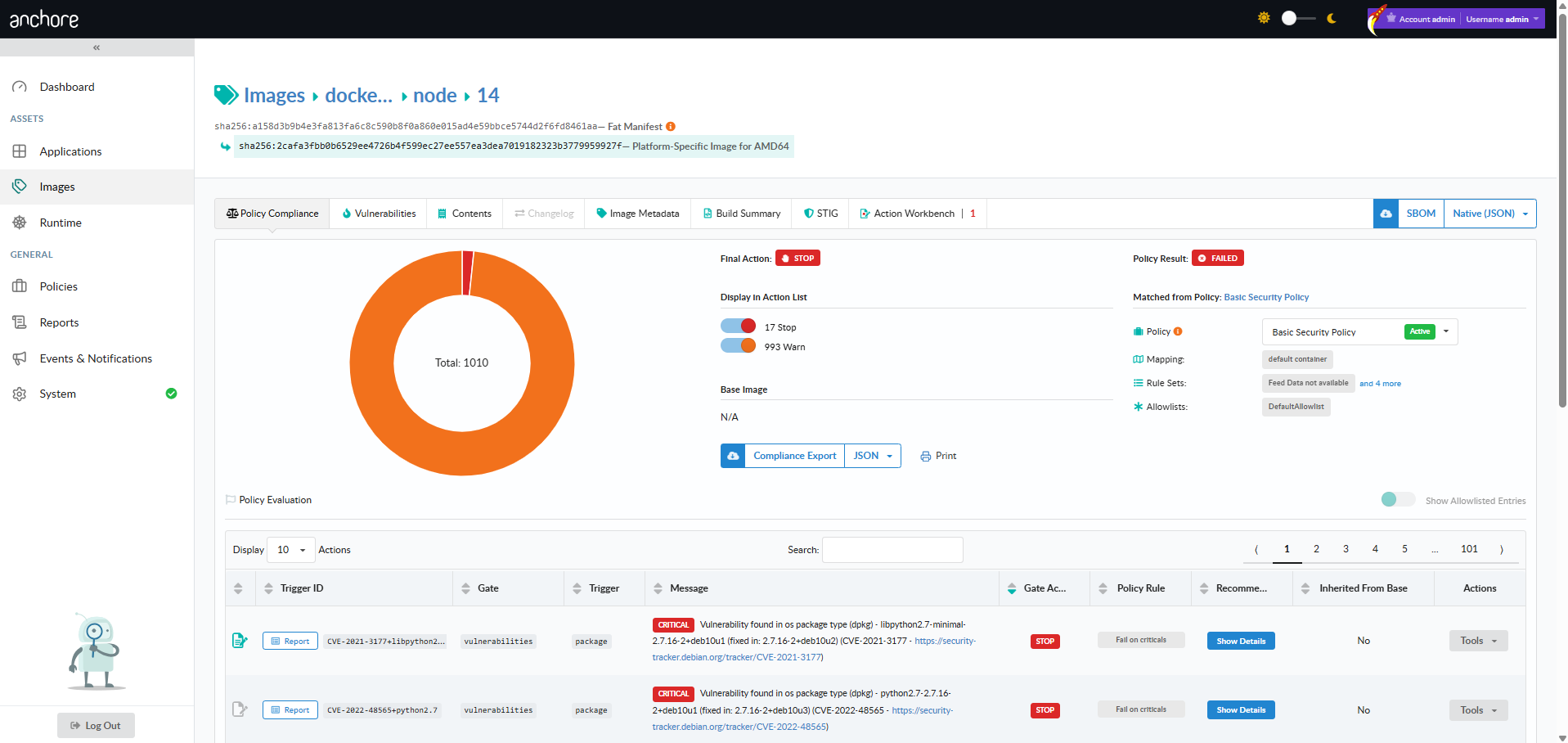
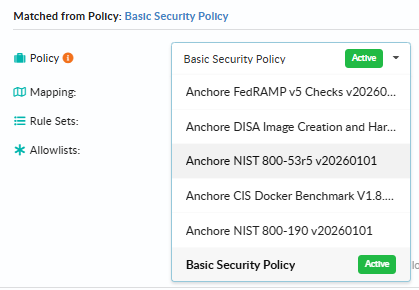
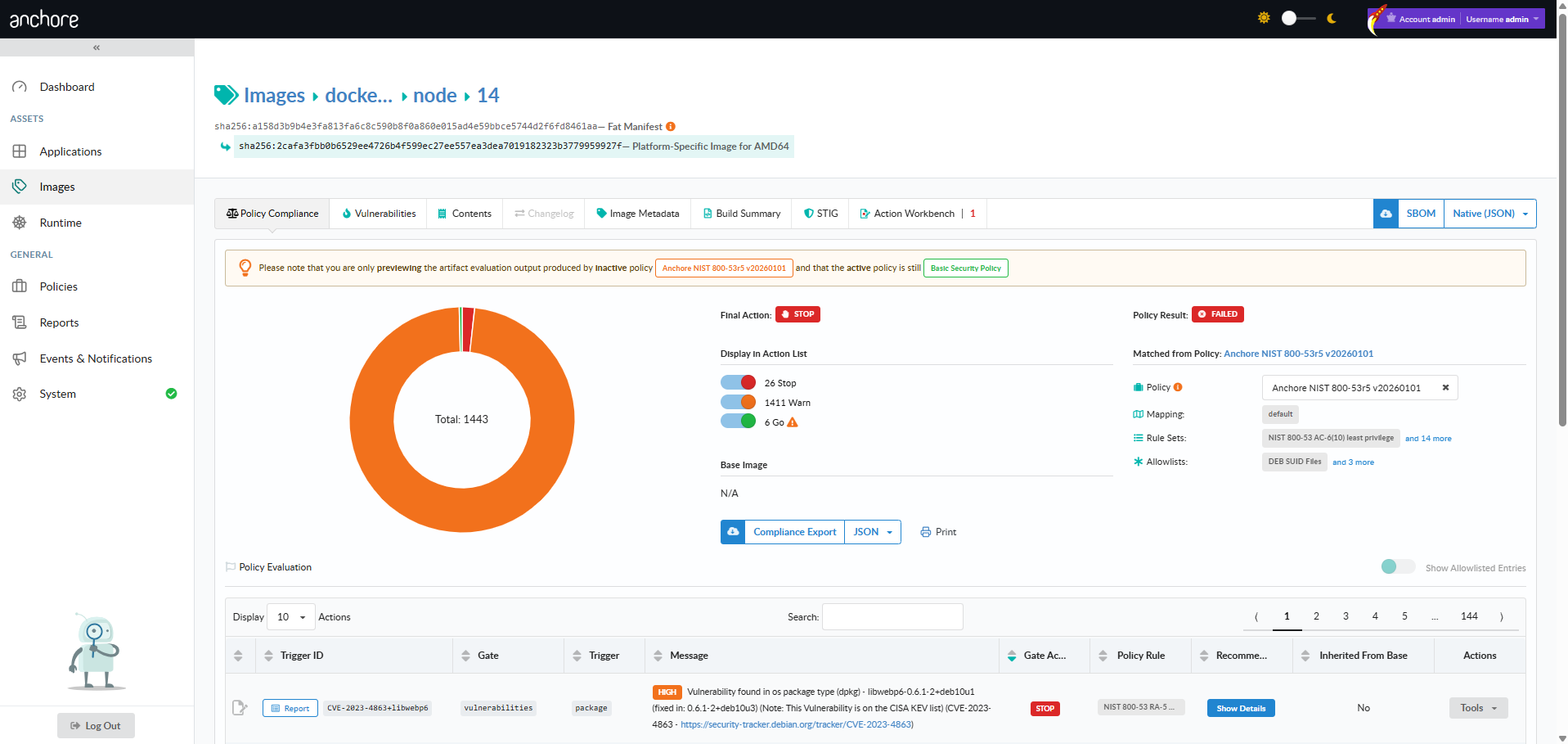
To evaluate the same image against a different policy, change the Policy selector at the top of the tab. The evaluation is recomputed and the result is displayed without changing the account’s active policy.
Evaluate an Image with AnchoreCTL
anchorectl image check fetches the policy evaluation for an image. The image argument accepts a registry/repo:tag reference, an image digest, or an image ID; for digest or ID, the -t flag specifies which tag’s evaluation to return.
A basic check returns the Pass / Fail verdict for the image against the account’s active policy:
anchorectl image check docker.io/my-org/api:1.4.0
To see the individual findings that drove the verdict — each rule that fired, the gate and trigger that produced it, the action, and the message — add --detail:
anchorectl image check docker.io/my-org/api:1.4.0 --detail
For CI/CD pipelines that need to gate a build on the result, add --fail-based-on-results so the command exits with status 1 when the evaluation fails:
anchorectl image check docker.io/my-org/api:1.4.0 --fail-based-on-results
To evaluate the image against a specific policy rather than the account default, pass --policy with the policy name or ID. The account’s active policy is not affected:
anchorectl image check docker.io/my-org/api:1.4.0 \
  --policy strict-policy \
  --detail
The output format is controlled with -o. Beyond text, the json, json-raw, and csv formats are useful for piping into other tooling; html (combined with --detail) emits a formatted compliance report you can save as a build artifact:
anchorectl image check docker.io/my-org/api:1.4.0 \
  --policy strict-policy \
  --detail \
  -o html \
  -d ./reports
Evaluate an Image with the API
Image-scoped evaluation is exposed through a single endpoint:
GET /images/{image_digest}/check— returns the most recent policy evaluation for the image. Accepts query parameters forpolicy_id,tag(required),detail,history, andbase_digest.
The full request and response schemas, including the structure of findings inside the evaluation result, are in the API browser; search for the Images tag.
A few conventions worth knowing as you call this endpoint:
- The
tagquery parameter is required even when the image is identified by digest — the evaluation result is per-tag, so the same image may have different verdicts under different tags. base_digest=autoenables base-image inheritance in the evaluation result, marking which findings come from the image’s base rather than its own layers.- Cross-account requests follow the standard pattern — see Account Scoping.