POA&M
This guide provides examples of how to setup a policy gate to enforce development teams to comply with organizational Plan of Actions & Milestones (POA&M).
The POA&M Challenge
POA&Ms can easily become an administrative nightmare to track, maintain and update. With Anchore Enterprise, POA&Ms can now be done via code configuring CI/CD policy gates that enforce compliance.
POA&M Solution
Generate an enforceable POA&M using policy as code
The example is shown using a policy from scratch but these direction could be used to add to an existing policy.
Create a new policy
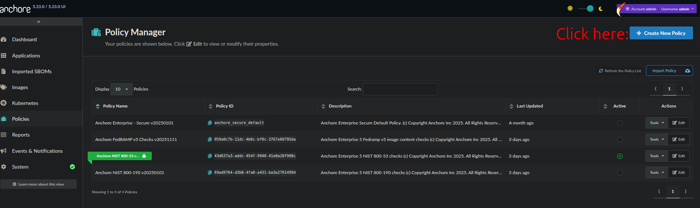
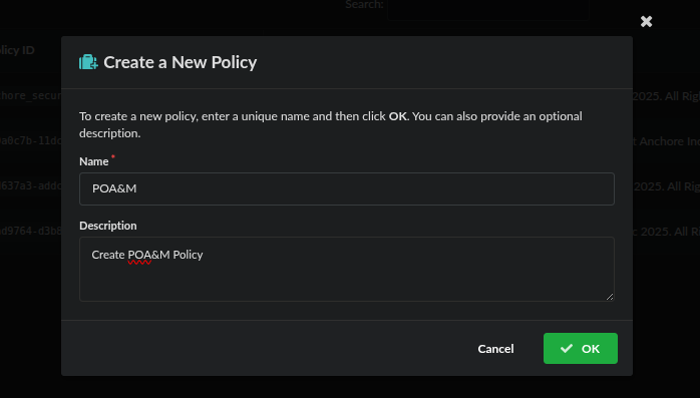
Name and describe your policy, then click save
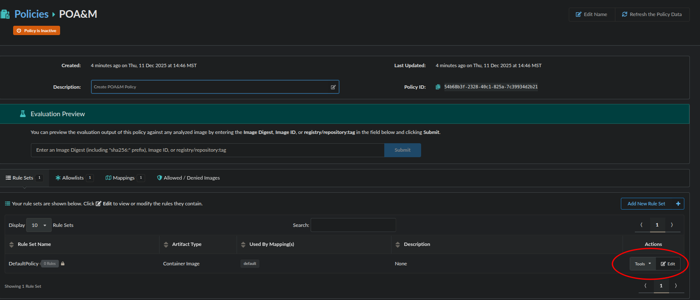
Now we will edit the default rule, by clicking edit:
From here we will configure a rule:
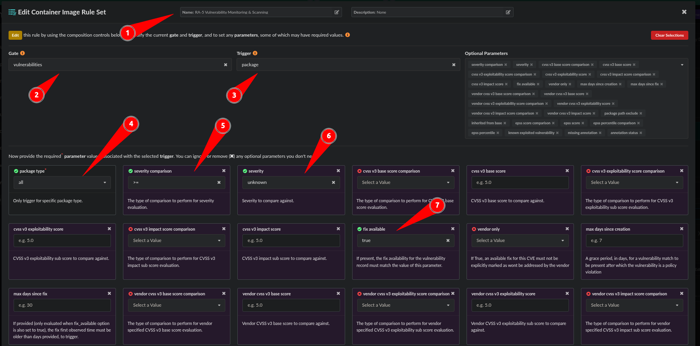
- Name the rule: RA-5 Vulnerability Monitoring & Scanning
- Gate: Vulnerabilities
- Trigger: Package
- package type: all
- severity comparison: >=
- severity: unknown
- fix available: true
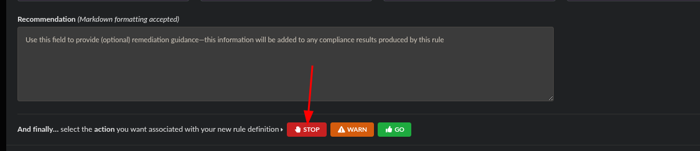
Scroll down to the bottom and click the action of STOP and click Save and Close.
Next, we will make an Allowlists for the item we want to POA&M by editing a default Allowlist or adding a New Allowlist:
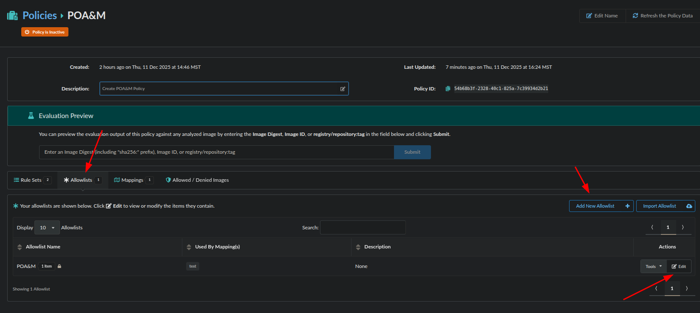
Now we will edit the Allowlist:
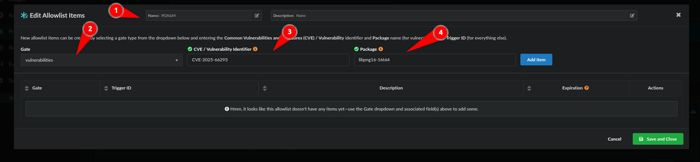
- Name the Allowlist: POA&M
- Gate: Vulnerabilities
- CVE/Vulnerability Identifier: CVE-2025-66293
- Package: libpng16-16t64
Note: Another way to get the CVE and Package information is to obtain the Trigger ID on the Policy Compliance Tab which is CVE ID+package as seen in image below:
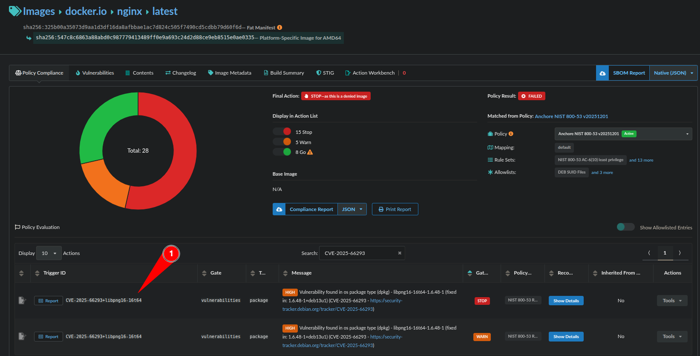
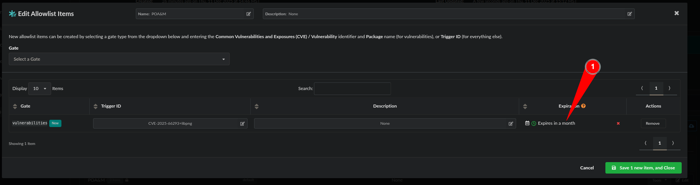
We have a rule and an Allowlist but we want to make this a POA&M item that expires so lets make an expiration by clicking on the calendar:
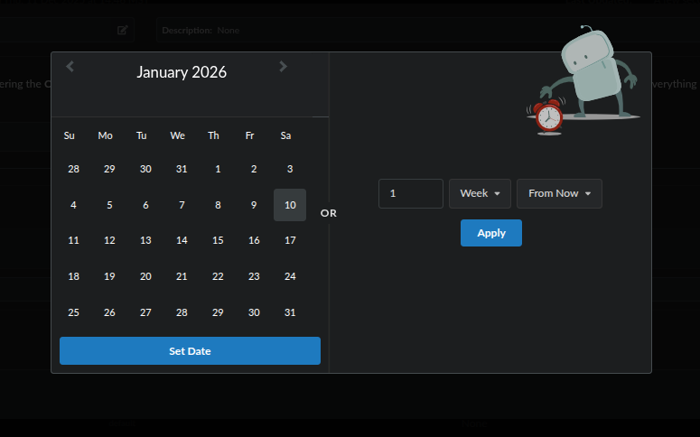
A calendar will pop-up and you can select a date or or a time frame of days, weeks or months:
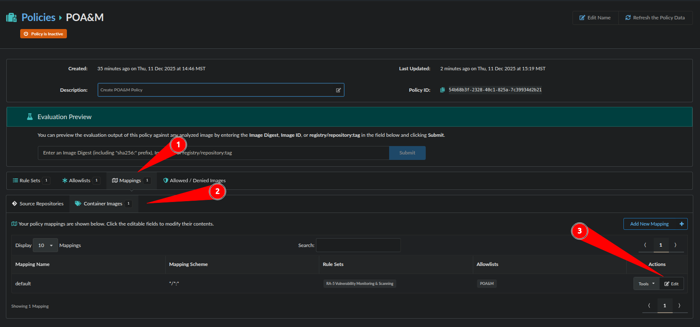
Next we will make a mapping to limit where this specific POA&M or Allowlist is applied by clicking Mappings, Container Images and Edit:
Next we will associate a Registry, Repository and Tag with the POA&M Allowlist we just made.
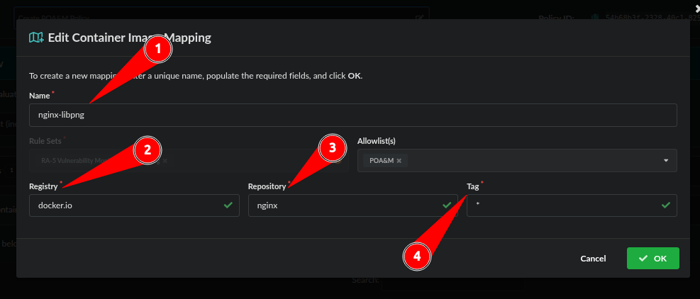
- Name the Mapping: nginx-libpng
- Registry: nginx-libpng
- Repository: nginx
- Tag: *
Note: Wildcards “*” can be used for Registry, Repository, and Tag
Our POA&M via an Allowlist with an expiration has been created. Let’s validate:
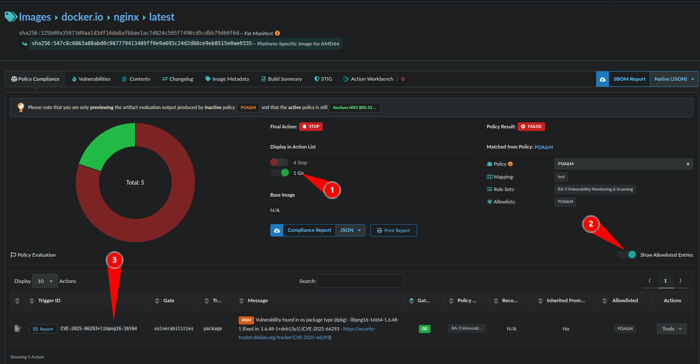
- Toggle on Go
- Show Allowlisted Entries
- The TriggerID matches what was put in the Allowlist
You have now created a POA&M enforced by code
Last modified January 15, 2026