Finding Zero-day Vulnerabilities
This page outlines the workflow for locating zero-day vulnerabilities using Anchore Enterprise’s capabilities, most notably UI, reports and API queries, by both package and vulnerability ID.
When a zero-day vulnerability is disclosed, your first response will be to try and understand your exposure: where in your software supply chain are the affected packages and versions used? In such situations, the Common Vulnerabilities and Exposures (CVE) record may not be fully published yet. This means that you might be searching for specific package versions and by vulnerability identifier, such as a GitHub Security Advisory (GHSA) number.
Checking your Feeds
Anchore Enterprise relies on a large number of vulnerability data sources to bring you the most accurate vulnerability matching as possible. It could be that upstream sources already have knowledge of the vulnerability. Your first step should be to quickly check whether Anchore Enterprise has the latest vulnerability dataset.
In environments talking directly to the Anchore Data Service, you can force a feed sync by running the following command as the Anchore Enterprise administrator:
anchorectl feed sync
You can verify the latest feed updates using the following command:
anchorectl feed list
Feed sync status can also be found in the Anchore Enterprise UI under System and Feeds Sync.
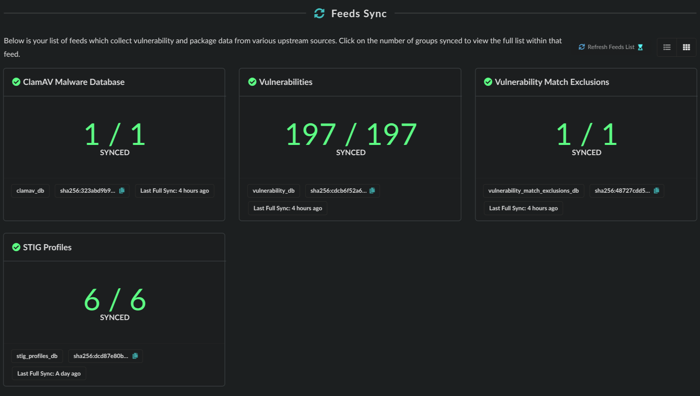
Feed sync status.
Search by Vulnerability ID
/query/vulnerabilities in https://docs.anchore.com/current/docs/api/reference/If you know the vulnerability ID, which could be either a CVE, GHSA, or other identifier, you can utilize the native reporting capability in Anchore Enterprise.
- Click the Reports menu item
- Choose a new report of Artifacts by Vulnerability.
- Choose the Vulnerability Id filter and enter the appropriate identifier.
For example, if searching for the NGINX IngressNightmare (https://kubernetes.io/blog/2025/03/24/ingress-nginx-cve-2025-1974/), you could use the CVE ID or GHSA for coverage:
- GHSA:
GHSA-mgvx-rpfc-9mpv - CVE:
CVE-2025-1974
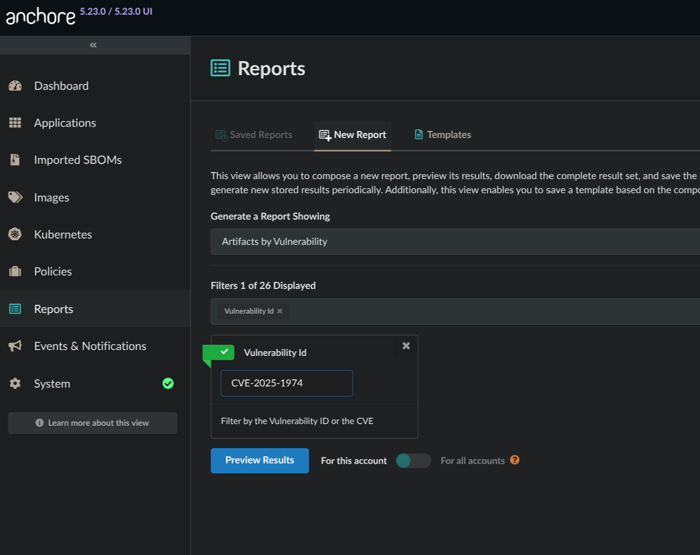
Search by CVE example.
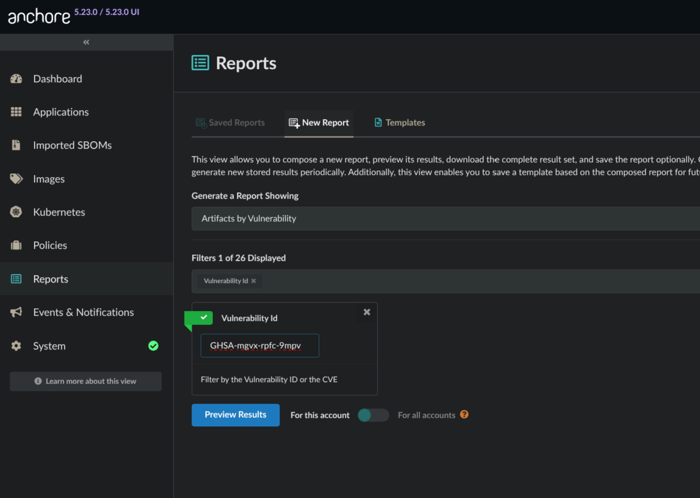
Search by GHSA example.
As you preview results, you can toggle the report scope. If you are the administrator you can run the report against all assets across all accounts.
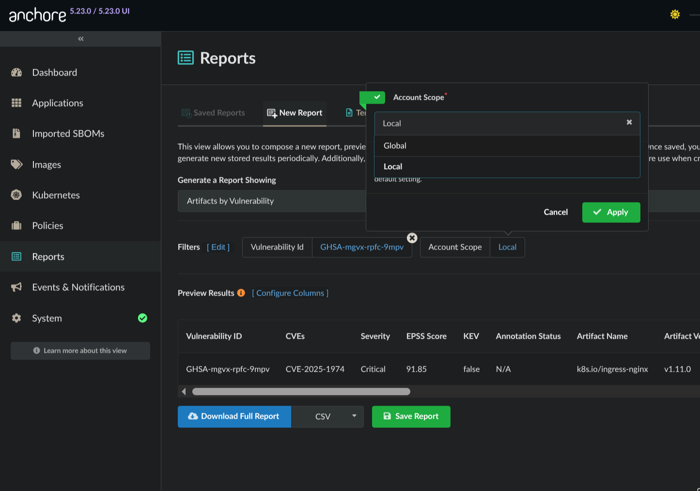
Changing account scope: local or global
Once you have validated the desired outcome in the report preview, you can opt to Save Report, provide some details, and tick the option to Generate immediately on save.
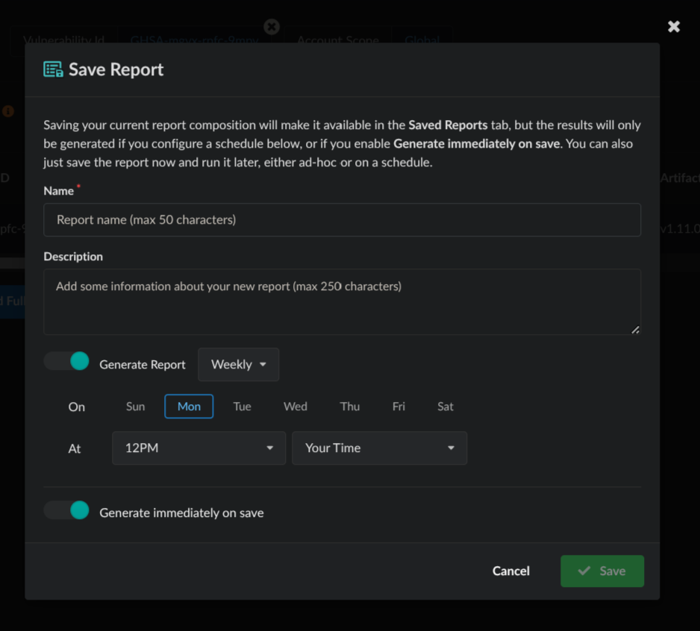
Saving the report.
The report will then be generated in order to provide you results across the SBOMs for all of your assets. Once complete, the results are ready for download.
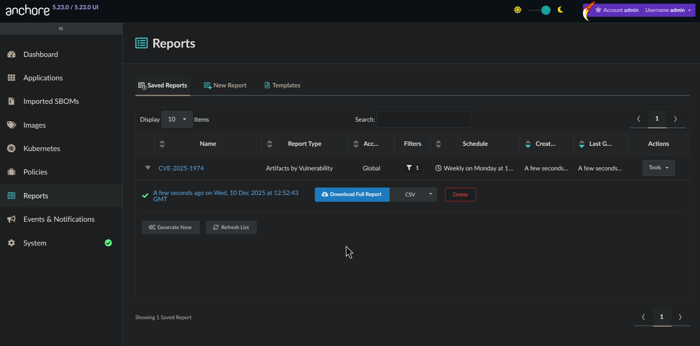
Ready for download!
You now have an understanding of where in your software supply chain this vulnerability can be found. Go remediate!
Search for Affected Packages
Sometimes you won’t have a vulnerability record available because it has not been created or appropriately updated. Another way to assess impact during a zero-day is to search for the specific package or library version known to be vulnerable. Fortunately, this can be done via the Anchore Enterprise API.
Use the Query API to look for specific package versions. In the case of CVE-2025-1974 (GHSA-mgvx-rpfc-9mpv), the impacted packages were k8s.io/ingress-nginx with versions v1.11.0 - 1.11.4.
The following query would be used to look for a particular version:
curl -X 'GET' \
  'https://anchoredemo.com/v2/query/images/by-package?name=k8s.io%2Fingress-nginx&package_type=go&version=v1.11.0' \
  -H 'accept: application/json'
This would yield a response similar to that found below, revealing an impacted asset:
{
  "images": [
    {
      "image": {
        "image_digest": "sha256:4db2297322e827ae13892be1480800471ec83726edea921bd45af0f8ed35e094",
        "image_id": "bcb840ba02d3eb300b1c13876604e4286794e5873eacbb86ba81139e2ad66a86",
        "analyzed_at": "2025-11-18T12:04:27Z",
        "tag_history": [
          {
            "registry": "registry.k8s.io",
            "repo": "ingress-nginx/controller",
            "tag": "v1.11.0",
            "full_tag": "registry.k8s.io/ingress-nginx/controller:v1.11.0",
            "tag_detected_at": "2025-11-18T11:50:03Z"
          }
        ]
      },
      "packages": [
        {
          "name": "k8s.io/ingress-nginx",
          "version": "v1.11.0",
          "type": "go"
        }
      ]
    }
  ],
  "page": "1",
  "returned_count": 1,
  "total_count": 1
}
With this information, you can now remediate the impacted asset!
Last modified January 13, 2026